Model sprawl
Different model families need different precision, attention, memory, and loading behavior. One global setting is not a safe operating model.
AIWF Studio brings image, inpaint, video, audio, model, data, and workflow tooling into one Windows-oriented application. The work demonstrates the same system concerns that matter in client projects: routing, runtime state, hardware limits, source control, visible configuration, and failure handling.
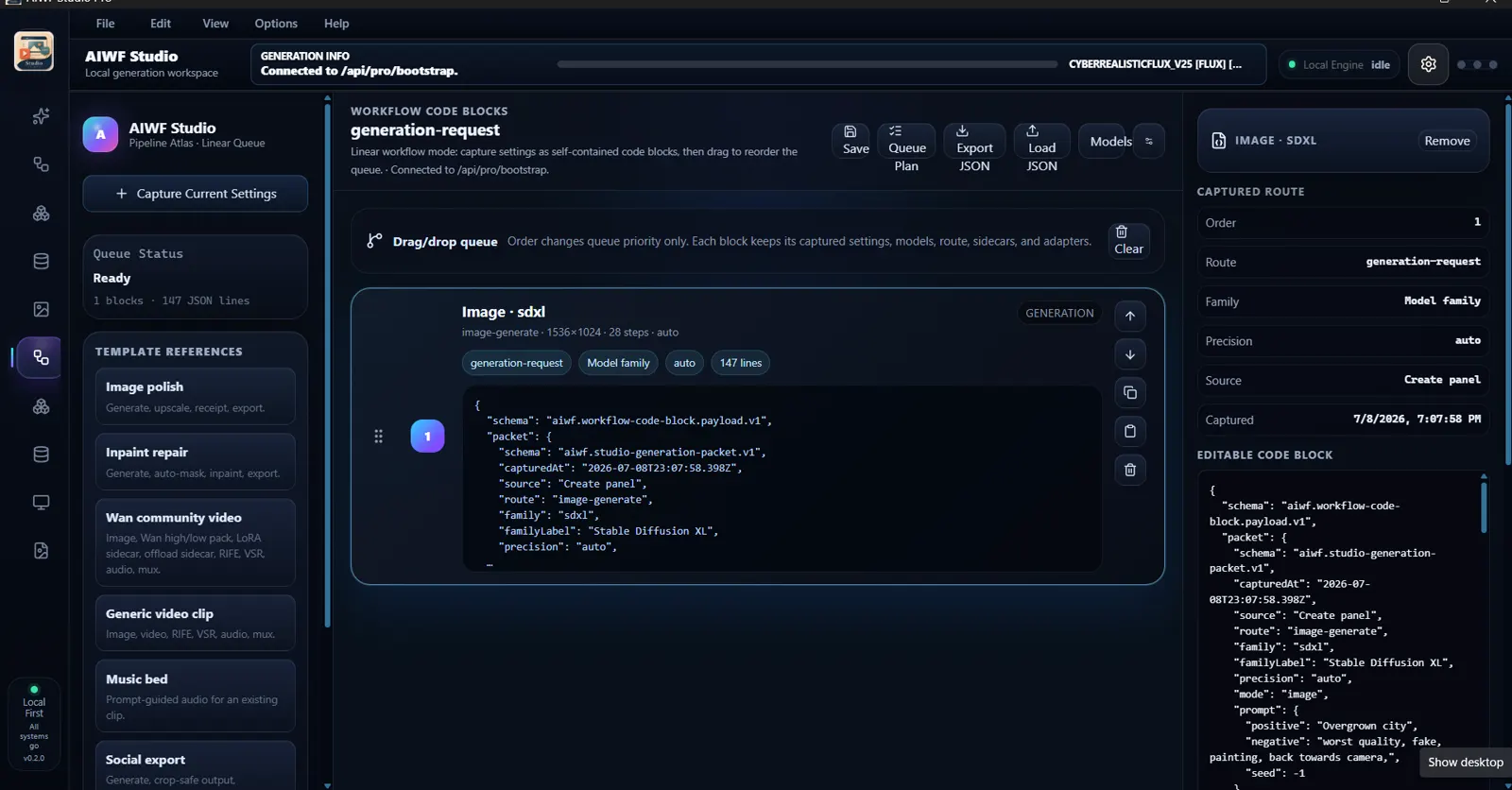
Models, runtimes, settings, sidecars, queues, receipts, and outputs often live in separate utilities with no shared operating view.
Different model families need different precision, attention, memory, and loading behavior. One global setting is not a safe operating model.
A polished button is not enough. The user needs to know which backend, model, device, precision, and resource path is active.
Without saved settings, receipts, and workflow blocks, a successful output can be difficult to reproduce or hand off.
VRAM, RAM, storage, optional SDKs, and model size have to be treated as product constraints, not installation footnotes.
Run core creative AI workflows on controlled Windows and NVIDIA hardware where models and resources permit.
Keep model-family behavior, backends, precision, sidecars, and optional engines explicit instead of applying one hidden default.
Capture settings as blocks, preserve execution order, and keep route metadata available for later review.
Startup and runtime checks distinguish available, optional, missing, idle, and failed capabilities.
The production path uses a React interface and FastAPI application layer. A broader Gradio lab remains available for experimental and blueprint surfaces.
Dedicated workspaces for image, inpaint, video, audio, models, data, settings, monitoring, and workflow blocks.
Bootstrap, capabilities, runtime state, settings, logs, data, and generation contracts are exposed through explicit application routes.
Multiple inference backends and model families are routed through family-specific loaders and runtime checks.
The project includes Windows installation paths, dependency setup, default model bootstrap, build steps, and local verification receipts.
These screenshots are from active development builds, not concept art.
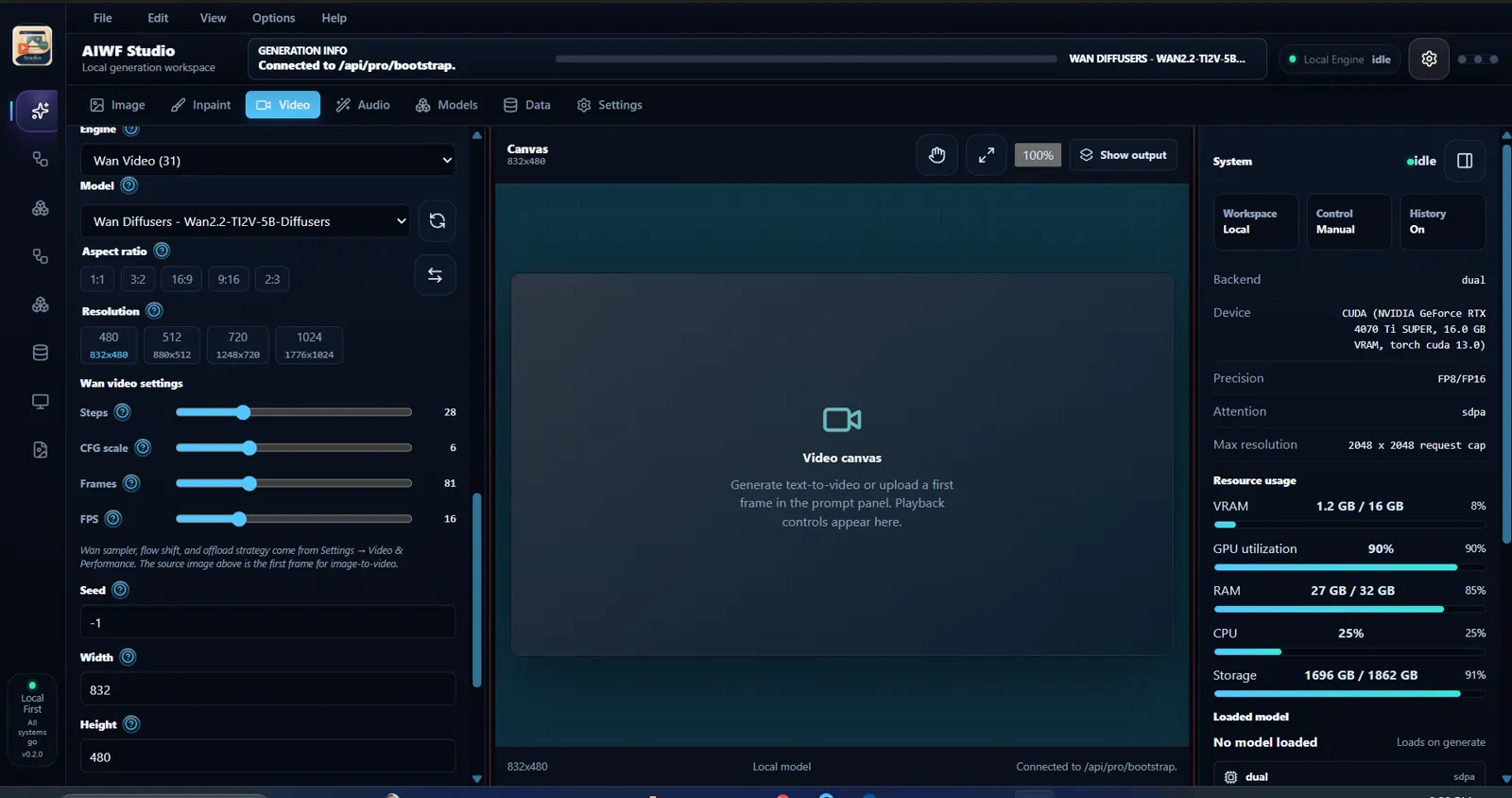
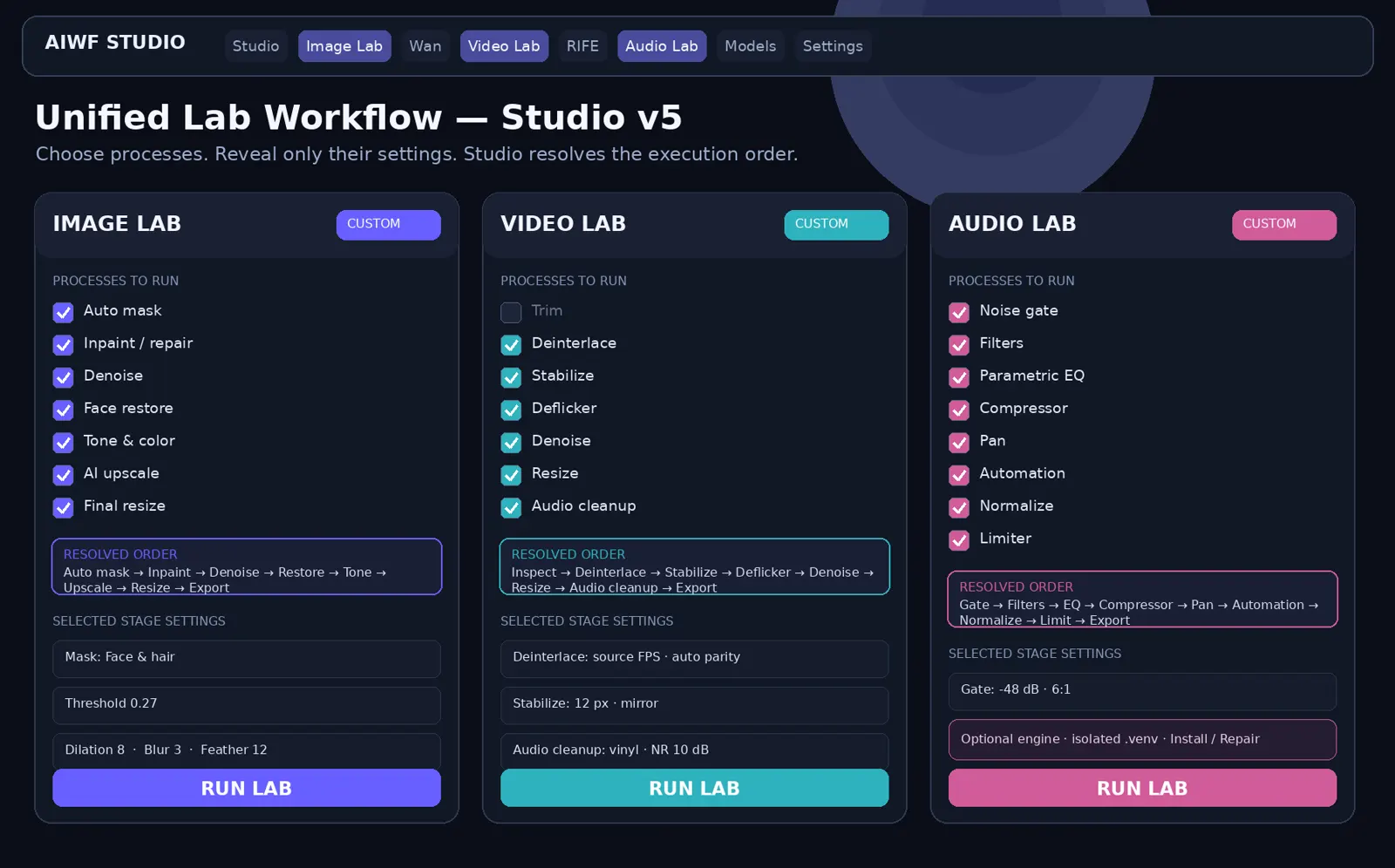
The React and FastAPI surface serves bootstrap, runtime, capability, settings, logs, data, and workflow requests in local development and clean-install checks.
Image, inpaint, video, audio, model, data, and settings lanes are represented in the current application.
Generation settings can be captured into movable blocks with route and model context for repeatable plans.
A documented clean-install pass created the Python environment, installed runtime dependencies, built the frontend, created shortcuts, and reached the local API and UI.
Model support and performance depend on GPU, VRAM, RAM, storage, driver, model family, and requested workload.
Some acceleration and media features require separate vendor SDKs. Missing optional components should reduce capability, not break the core install.
Production React routes and broader experimental lab surfaces do not all carry the same release confidence.
The public download remains intentionally unlinked until a versioned stable branch or release artifact clears installation, license, and smoke checks.